Oops, the future of computing arrived while you weren’t looking.
Find your way inTilo is a new operating system. Your windows, files, applications and the people you work with stay together in workspaces, and search, history, undo and permissions work across every application, for you and for the agents you let in.
For…
Windows sit beside each other, not on top of each other.
Applications line up in horizontal strips. Move left and right along a strip, up and down between strips. Nothing overlaps, so a window stays where you put it until you move it.
How strips and tabs workSwitch from work to home without closing a single window.
A workspace holds its own strips, files, application state and people. Keep one for home, one for work, one for each project. Switch, and all of it changes together. Come back, and it is exactly where you left it.
What a workspace contains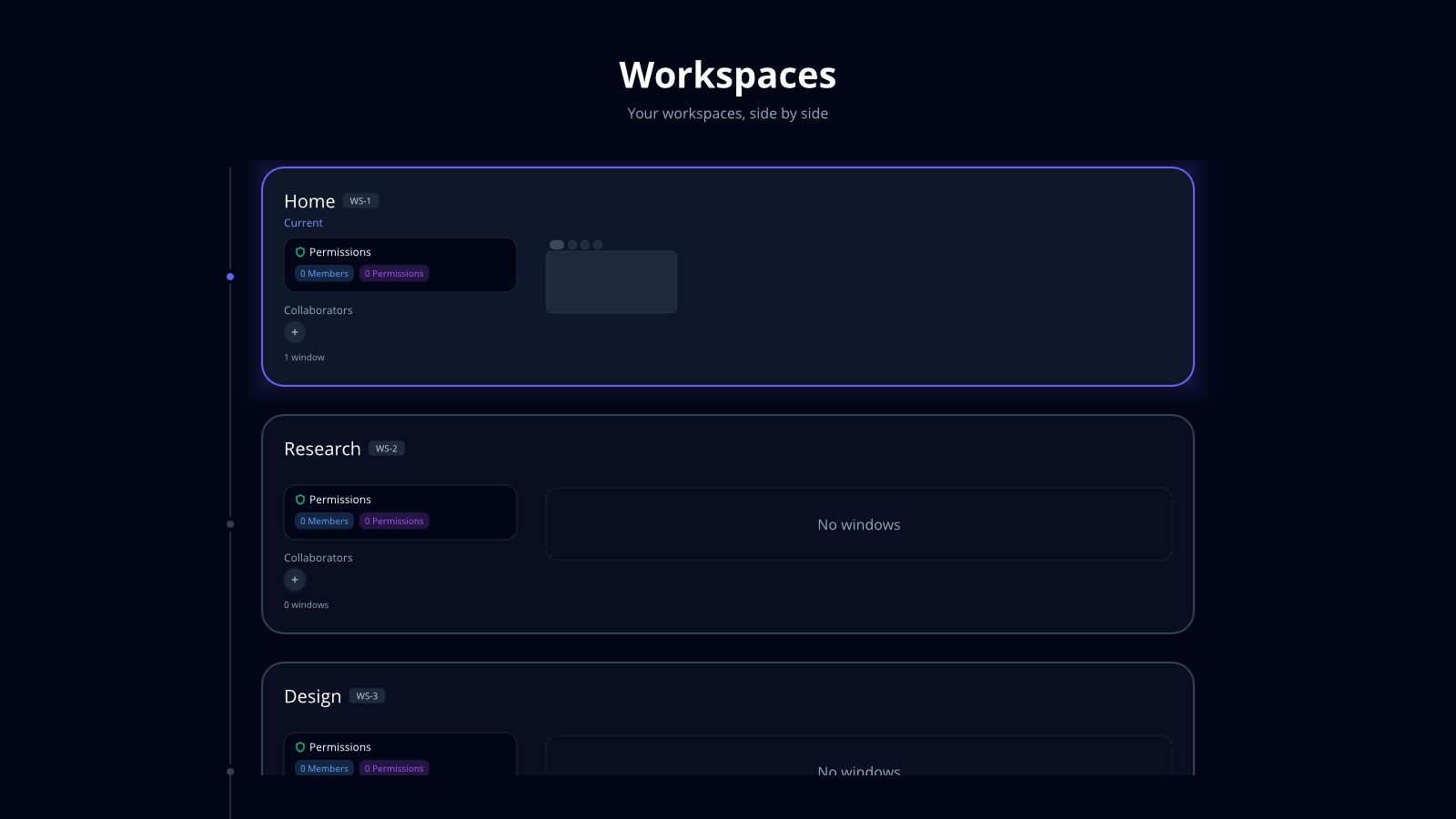
Your work is kept by the system, not locked inside each app.
Notes, files, annotations, messages: Tilo stores them, records who changed what, and knows who may see them. So you can search a note while Notes is closed, undo an agent’s edit from any window, and invite a colleague or an agent into one project without opening up your whole computer. Applications show the work and add their own actions.
Why it is built this way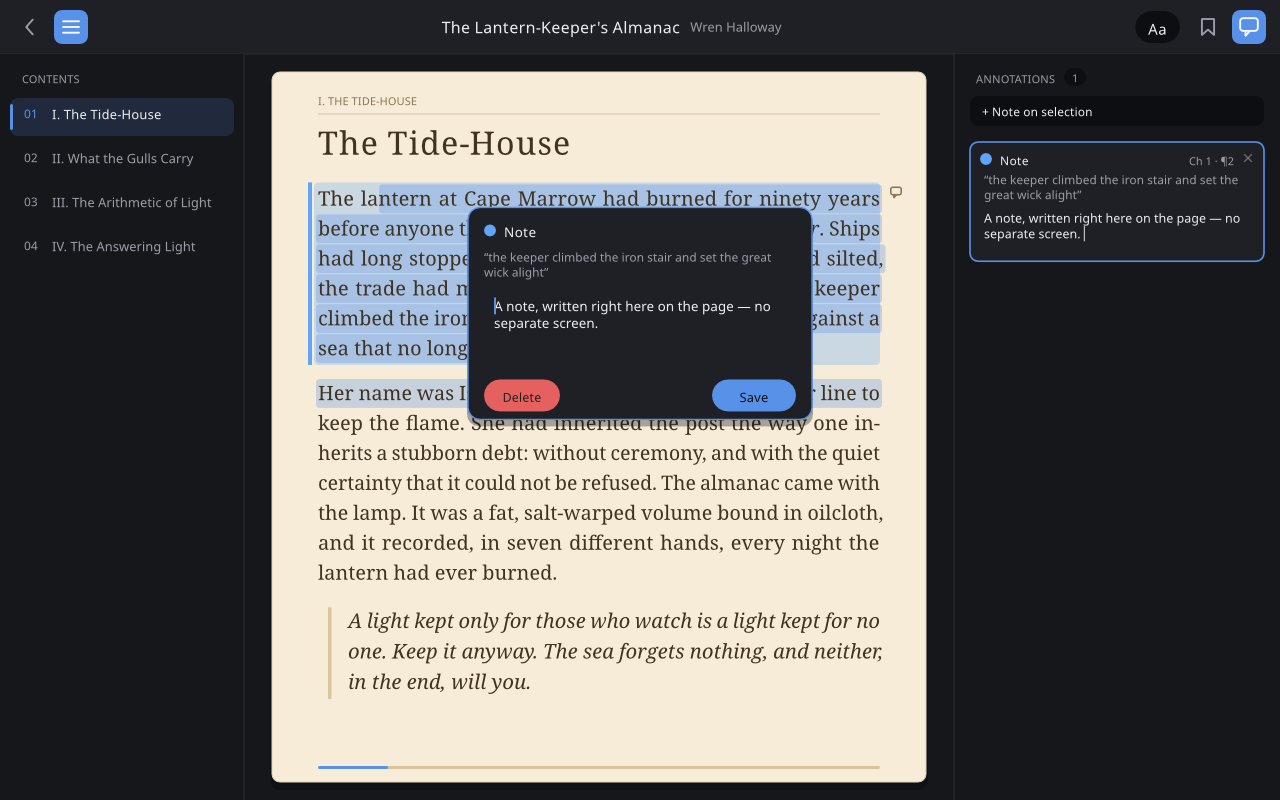
Put down your phone. Continue on your laptop.
Stop halfway through a book on your phone. Open your laptop and the same page, note and workspace are waiting. Notes, Files and every other application carry over the same way.
How workspaces move between devicesUse an application before deciding to keep it.
Search finds applications that are not on your computer yet. Open one and a small native package is fetched, verified and started in a sandbox. No installer. Add keeps it; otherwise it is dropped from the cache later.
How Open and Add workA document stays a file and still has real history.
The workspace filesystem understands the formats applications register: Markdown, ODT, DOCX. They remain ordinary files, but search reads their contents and history shows who changed what inside them, not just that some bytes changed.
How files, items and versions fit together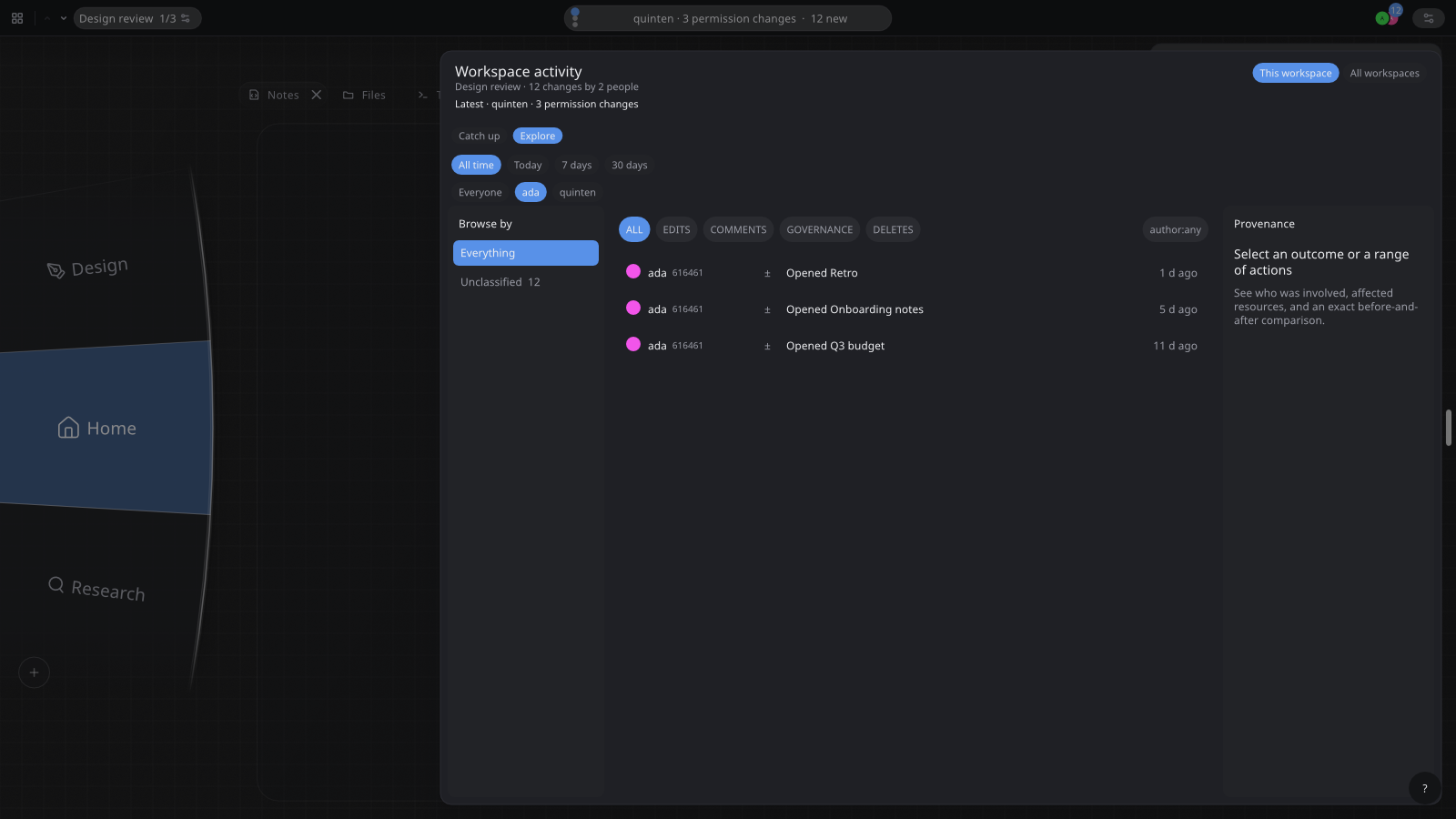
Everyone gets their own view of the same work.
Two people open the workspace on their own computers and edit at once. Each keeps their own scroll position, selection and layout while the changes appear for both. Cursors carry names, so showing, watching and editing stop being one person holding the mouse.
How shared work behaves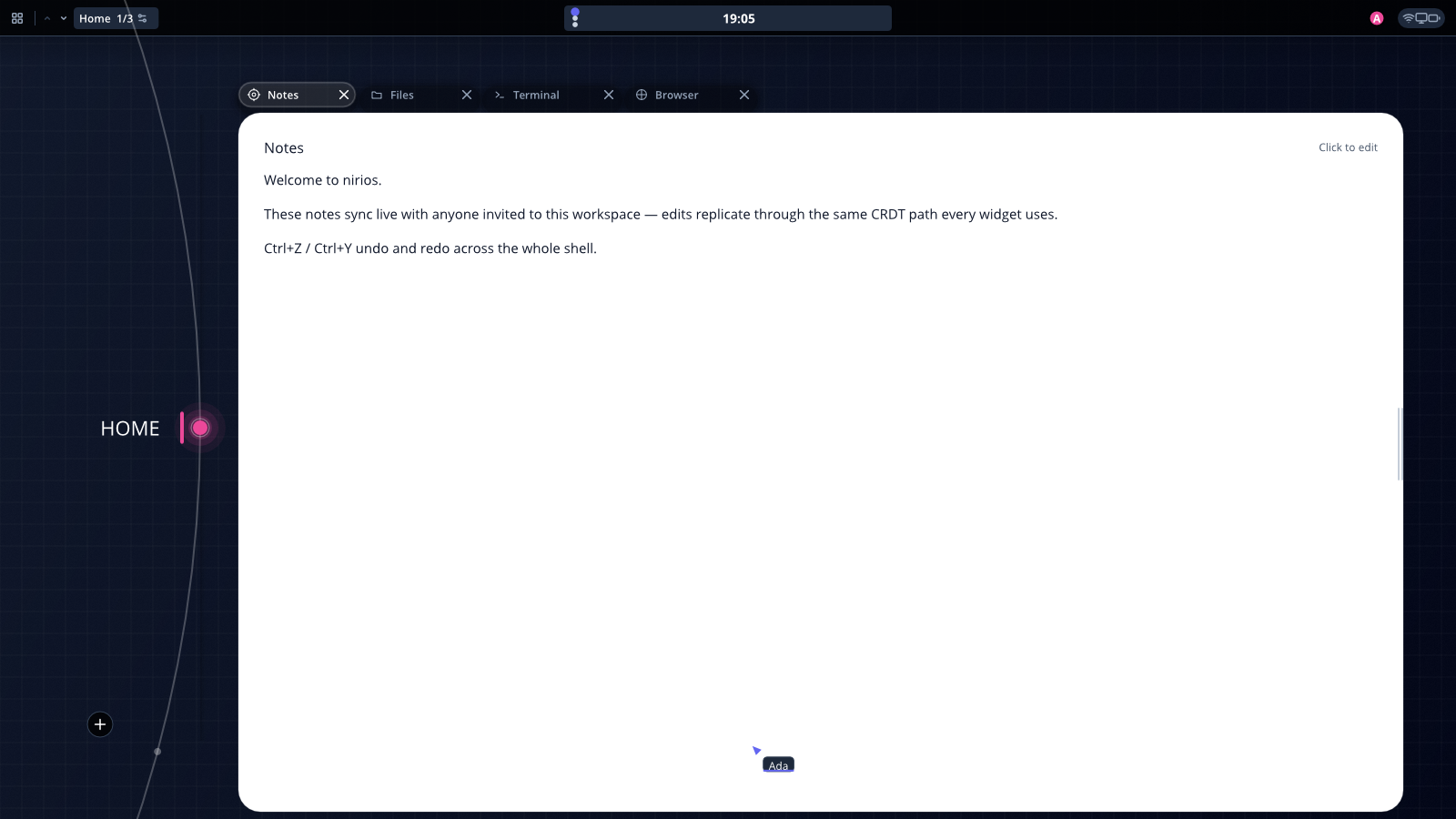
A workspace contains the work, not the rest of your computer.
An application starts with its package, scratch space and the current workspace. A file you pick grants that file. A camera you approve for a call grants the camera for that call. Your other workspaces, home directory and devices stay outside, and every standing grant is listed in one place where you can revoke it.
The permission model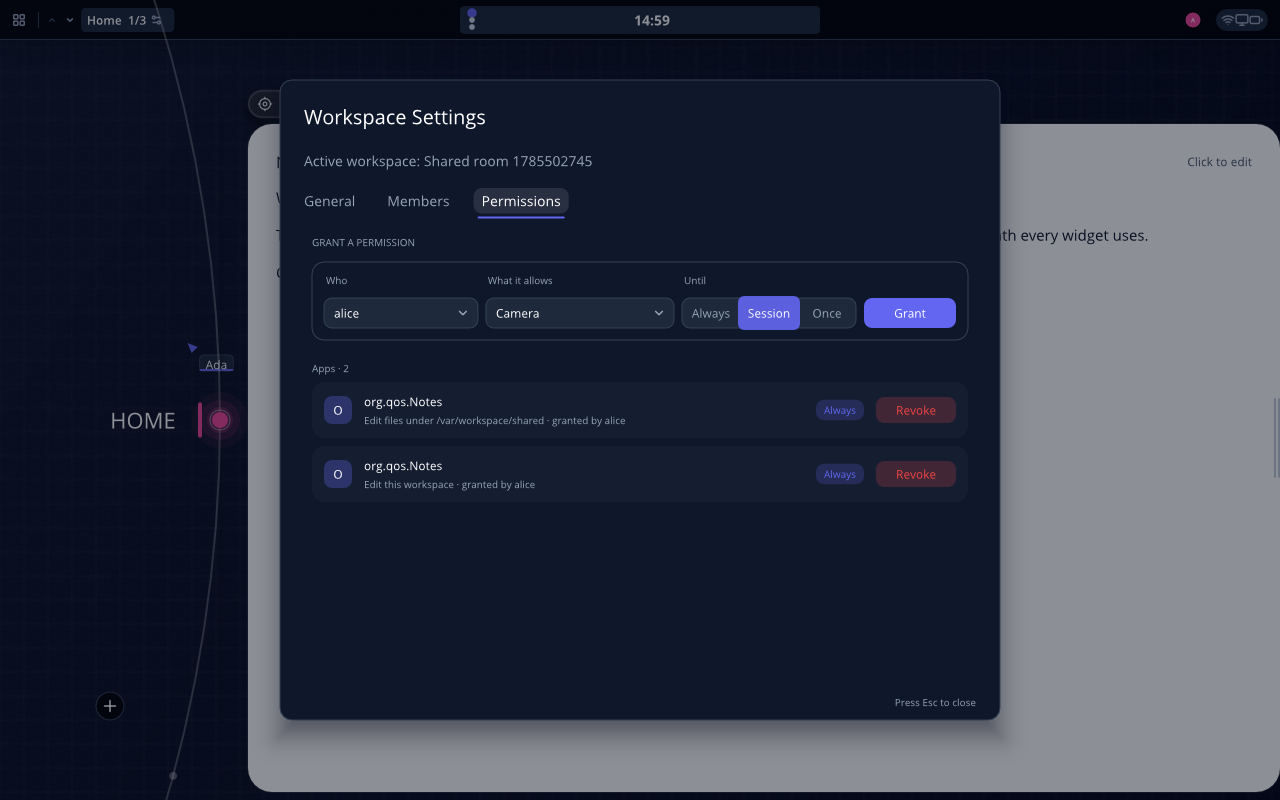
Run a hundred agents without one of them opening a window in your face.
Agents work in their own workspaces, so nothing pops up in front of you while you work. Switch to one and you see what it is doing in a second: its windows, its changes, its cursor. It runs on your computer, not in somebody’s cloud.
How agents join a workspace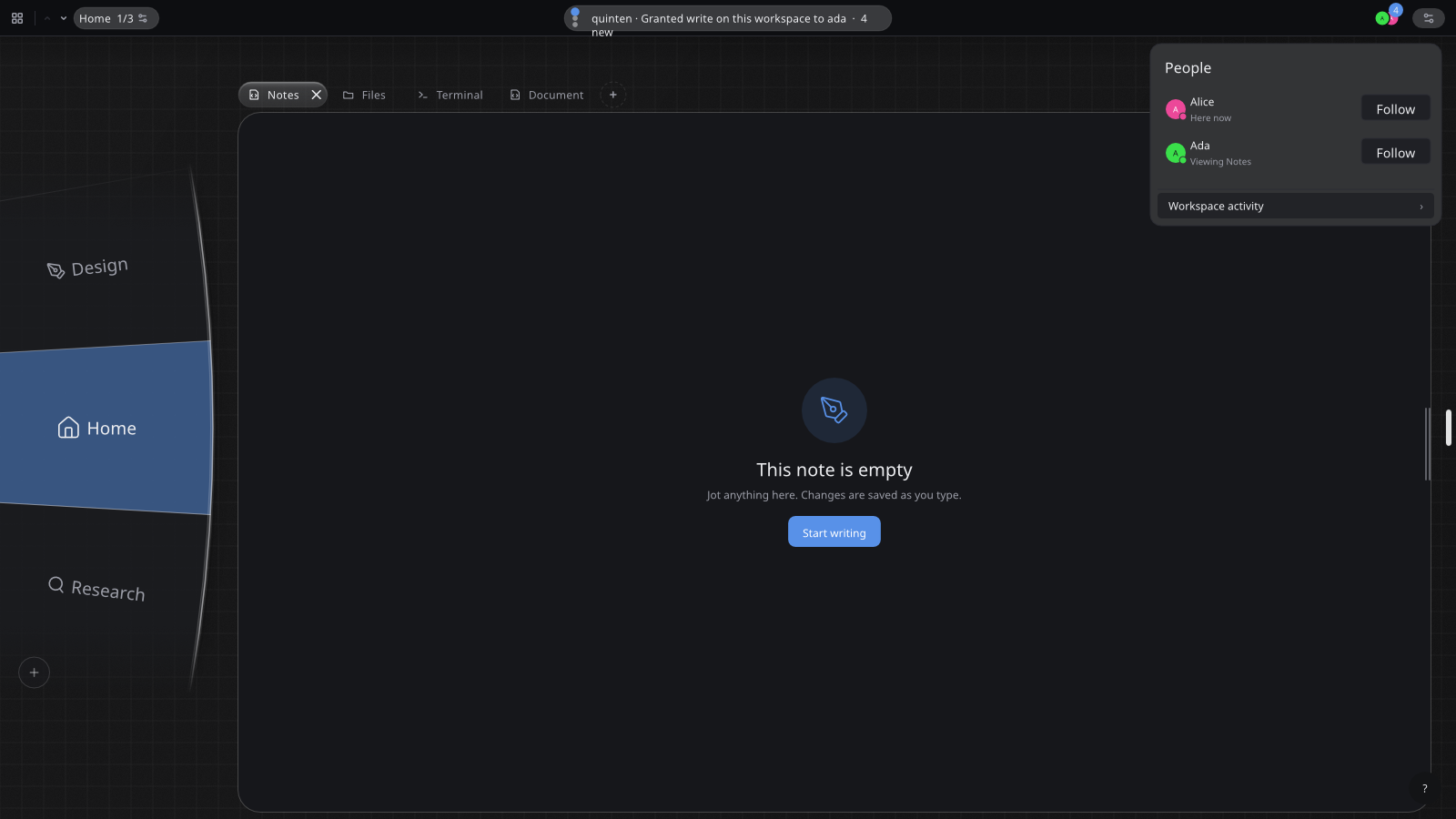
Give an agent the whole workspace, not a folder.
Everything in a workspace is available to the agents you invite into it: every application’s items, the files, the history. They understand the project instead of one file at a time. Switch workspaces and their context switches with you.
What a workspace containsAs fast as a tool call. As complete as a screen.
Agents use the same named items and actions the interface is built from, so they never guess at pixels or wait for screenshots. Every application is operable that way, from Books to Terminal, at the speed of a tool call.
Items and actionsEach agent gets exactly the permissions its job needs.
An agent joins under its own name with the items and actions for one task. Grants are plain, readable data, so an assistant can draft them from your description of the job and you approve. Remove the agent and its grants close with it. There is no back door for agents that people do not have.
The permission modelAn agent cannot ruin your afternoon.
Every change an agent makes carries its name and lands in the workspace log next to yours. Made a mess? Open the log, find the change, undo it. Or tell an agent to.
How history and undo workOne notes app is 0.64 MB. The other is 365 MB.
Trilium ships Electron, a complete browser engine, to draw its interface. Tilo Notes draws with the toolkit, text rendering, storage, search and history the system already provides, so its package is only the notes part. (Trilium is a great notes app.)
What the small package makes possibleApplications describe their items and actions.
An item is a book, a note, a track, an annotation. An action changes one: highlight, rename, move. The application draws the views and does the job-specific work; the system stores the items and records the actions. That is why search, history, undo and collaboration work in every application at once.
Items and actionsLinux applications open as ordinary windows.
GTK, Qt, Electron and terminal applications keep their interfaces and formats. They gain strips, workspaces, the sandbox and screen sharing. Native Tilo applications additionally describe their items and actions, which is what enables the deeper search, history and shared state above.
What changes and what stays LinuxChoose a layer
Windows software has a three-step compatibility path.
Desktop applications open through Wine; games use integrated Proton profiles. If an application needs Windows itself, a managed virtual machine runs it and places its window beside everything else instead of handing you a second desktop. Only the files, clipboard contents and devices you grant cross into it.
How Windows compatibility worksFirst working route wins
The system, the application platform and the apps are one public project.
The AGPL-3.0 repository holds the compositor, toolkit, filesystem, sandbox, native applications, system integration, notes, build scripts and tests, on top of Fedora, Wayland and portals. It is public at code.tilo.so. Build it, change a default, keep a fork.
Implementation statusAbout forty native applications use the same model.
Files, mail, calendar, office tools, maps, music, books and the system tools around them. Each has its own items and actions. Search, history, sync, permissions and collaboration come from the system, once, for all of them.
Start in a virtual machine.
Tilo is alpha software. A virtual machine lets you try the complete system without touching your disks. The guide asks what is on your computer and takes it from there: Tilo Desktop beside your current Linux, or the complete system once you have a tested backup.
Get started